
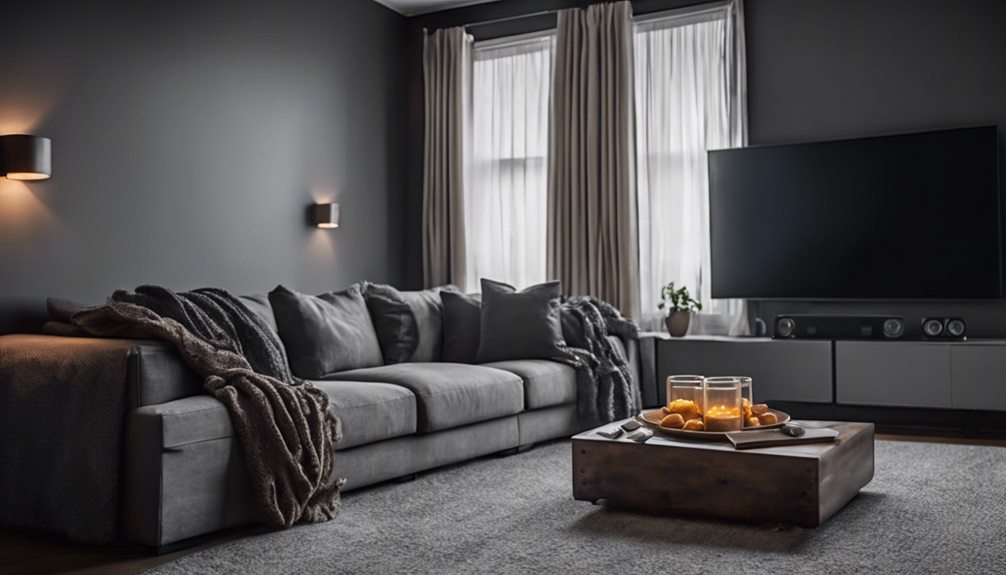
You can create a home theater experience on a budget by first evaluating your space and budget, then prioritizing spending on a display, sound system, and seating. Choose the right display type, considering factors like screen size, display technology, and ambient light conditions. Next, select a sound system that improves the viewing experience. To optimize the space, rearrange furniture for clear sightlines to the display, minimize outside light with blackout curtains, and utilize dimmable light sources. With some strategic planning, you can reveal a world of immersive entertainment options – and it's just the beginning of your home theater adventure.
Assess Your Space and Budget
Your home theater's success relies heavily on the space you have available and the budget you're willing to allocate. Before you start planning your home theater, take the time to evaluate the space dimensions of the room where you want to set it up. Measure the room's length, width, and height to determine the best layout for your equipment and seating. Consider the location of doors, windows, and any other obstacles that might impact your setup.
Next, review your budget constraints and prioritize your spending. Determine how much you're willing to spend on each component, including the display, sound system, and seating. Be realistic about what you can afford, and don't be afraid to make compromises if necessary. Keep in mind that you can always upgrade your equipment later if you need to.
When evaluating your space, think about the room's acoustics and lighting. Consider using sound-absorbing materials or acoustic panels to minimize echo and improve sound quality. You may want to invest in blackout curtains or shades to block out external light and create a more immersive viewing experience.
Choose the Right Display
When choosing the right display for your home theater, you'll need to take into account the screen size that fits your space and budget. You'll additionally have to decide between different display technology types, such as LED, OLED, and projector screens. By weighing these factors, you can select a display that provides a superior viewing experience without breaking the bank.
Screen Size Options
Selecting the right display is vital for an immersive home theater experience. When considering screen size options, it's important to think about the screen dimensions and viewing distance. A general rule of thumb is to look for a screen that's between 27-40 inches if you'll be sitting 3-4 feet away. For every foot you add to the viewing distance, you can increase the screen size by 10-13 inches.
To determine the ideal screen size for your home theater, measure the distance between the seating area and where the display will be placed. Then, use a screen size calculator or consult a chart to find the recommended screen dimensions. Keep in mind that a larger screen isn't always better – it's about finding the right balance between size and viewing distance.
When choosing a screen size, consider the room's lighting and the display's resolution. A smaller screen with a higher resolution might be a better option for a well-lit room, whereas a larger screen with a lower resolution might be suitable for a darker room. By considering these factors, you can select a screen size that provides an immersive and engaging viewing experience without breaking the bank.
Display Technology Types
What's the best display technology for your home theater on a budget? You have several options to evaluate, each with its pros and cons. LCD technology is a popular choice, offering good screen resolution and brightness levels at an affordable price. Nevertheless, it may not provide the same level of color accuracy and viewing angles as OLED displays.
| Display Technology | Key Features |
|---|---|
| LCD | Good screen resolution, brightness levels; lower color accuracy |
| OLED | Excellent color accuracy, viewing angles; higher cost |
| Projection | Large screen size, flexible installation; lower brightness levels |
When choosing a display technology, assess your specific needs and preferences. If you want a large screen size without breaking the bank, projection methods may be the way to go. Yet, if you prioritize color accuracy and brightness levels, OLED displays are a better option. Furthermore, evaluate installation tips and maintenance advice to guarantee your display technology lasts for years to come. By weighing your options carefully, you can create a home theater experience that's both enjoyable and budget-friendly.
Select a Sound System
Your home theater's sound system is the key to immersing you in the cinematic experience. To create an engaging atmosphere, you'll need a setup that can deliver clear, rich audio. Consider wireless options, which can simplify the installation process and reduce clutter. Soundbar alternatives, such as home theater systems with separate speakers, often provide better sound quality and more flexibility.
When selecting a sound system, think about speaker placement. A typical surround sound setup includes five or seven speakers, with the center speaker placed below or above your display and the surround speakers positioned to the sides or rear of the room. This configuration can help you create a more immersive experience for your family and friends.
If you're on a tight budget, look for affordable brands that offer quality sound systems. Some budget brands offer impressive features, such as support for advanced audio formats like Dolby Atmos or DTS:X. When choosing a sound system, prioritize the features that matter most to you and your audience.
Ultimately, the right sound system can enhance your home theater experience and make it more enjoyable for everyone involved. By considering your options carefully and making smart choices, you can create a mesmerizing atmosphere that will leave a lasting impression on your loved ones.
Optimize Room Lighting
You can create an immersive home theater experience by controlling the room’s lighting. Using dimmable light sources will allow you to adjust the brightness to suit your movie nights, as well as minimizing outside light will prevent glare on your screen. By making these adjustments, you’ll be able to focus on the movie and improve your overall viewing experience. Additionally, incorporating LED strip lights or wall sconces can add a subtle ambiance without causing distractions. If you enjoy outdoor movie nights, applying these same lighting principles to your backyard cinema setup can enhance the atmosphere and make your screenings more enjoyable. Proper lighting control ensures a more immersive and theater-like experience, whether indoors or outside.
Use Dimmable Light Sources
Most home theaters benefit from dimmable light sources, which can greatly improve the overall viewing experience. You can choose from various LED options, including smart bulbs that can be controlled remotely using a smartphone app. Dimmable light sources allow you to create mood lighting that complements the movie, adding to the immersive experience.
When selecting dimmable light sources, consider the color temperature, which can range from warm white to cool blue. Warm white light is ideal for creating a cozy atmosphere, whereas cool blue light can boost the visual details of the movie. Look for energy-efficient options to minimize your energy consumption.
To install dimmable light sources, consider using light dimmers, which can be controlled manually or remotely. Accent lighting can be used to highlight specific areas of the room, such as the screen or seating area. When placing lights, avoid direct glare on the screen and seating area. By following these installation tips and considering lighting placement, you can create a well-lit home theater that improves the viewing experience. With dimmable light sources, you can create a unique ambiance that raises your home theater experience.
Minimize Outside Light
Blackout curtains or shades are the best tools to minimize outside light, effectively optimizing room lighting for an immersive home theater experience. By controlling the amount of outside light that enters your room, you can create a space that's perfect for watching movies or playing games.
Here are some ways to minimize outside light and optimize room lighting:
- Use blackout curtains or shades as window treatments to block out harsh sunlight and external light sources.
- Install light blocking shades or blinds to prevent light from seeping into the room.
- Seal any gaps or cracks around windows and doors to prevent light from entering the room.
- Use ambient lighting to create a cozy atmosphere and reduce the need for harsh overhead lighting.
- Consider using smart light bulbs that can be programmed to adjust their brightness and color based on the time of day or the activity you're doing.
Rearrange Your Furniture
The room's layout plays a significant role in creating an immersive home theater experience. To achieve this, you'll want to rearrange your furniture to enhance the viewing experience for your guests.
| Seating Distance | Screen Size | Ideal Viewing Angle |
|---|---|---|
| 1-1.5 times screen height | 40-60 inches | 30-40 degrees |
| 1.5-2 times screen height | 60-80 inches | 40-50 degrees |
| 2-2.5 times screen height | 80-100 inches | 50-60 degrees |
| 2.5-3 times screen height | 100-120 inches | 60-70 degrees |
| 3+ times screen height | 120+ inches | 70+ degrees |
When rearranging your furniture, consider the seating distance from the screen. A general rule of thumb is to sit between 1-3 times the height of the screen away from it. This allows for an immersive experience without feeling overwhelmed. You'll additionally want to confirm the seating is at an ideal viewing angle, allowing your guests to see the entire screen comfortably.
Keep in mind that the furniture layout should be symmetrical and balanced to create a visually pleasing atmosphere. Consider placing the seating in a curved or circular pattern to allow all guests to see the screen clearly. By rearranging your furniture and enhancing the seating distance, you can create a home theater experience that's both immersive and enjoyable for your guests.
Invest in a Projector
Beyond a well-designed room layout, investing in a projector is crucial for creating an authentic home theater experience. As the centerpiece of your setup, a projector provides the immersive visual experience that draws you and your family into the movie.
When choosing a projector, consider the room's lighting conditions, seating arrangement, and the type of content you'll be projecting. Look for reputable projector brands like Epson, BenQ, or Optoma that offer a range of models to fit your budget.
Here are key factors to keep in mind when selecting a projector:
- Brightness: Choose a projector with sufficient lumens to handle the room's ambient light.
- Resolution: Opt for a projector with a high resolution (e.g., 1080p or 4K) for crisp, detailed images.
- Projection distance: Verify the projector can maintain image quality at your desired projection distance.
- Connectivity: Consider a projector with multiple HDMI ports to accommodate various devices.
- Noise level: Select a projector with a low noise level to minimize distractions during playback.
Set Up a Home Theater PC
With your projector installed, it's time to set up the brains of your home theater operation: a home theater PC. This device will run the media center software that integrates all your entertainment sources and provides a seamless viewing experience. You can repurpose an old computer or build a new one particularly for this task. Consider the type of content you'll be streaming and the processing capability required to handle it smoothly.
Choose a media center software that suits your needs, such as Kodi, Plex, or Emby. These software options offer a user-friendly interface and support for various file formats. You'll additionally need to select a streaming device, like a Roku or Google Chromecast, to connect your PC to your projector. On the other hand, you can use an HDMI cable to connect the PC directly to the projector.
When setting up your home theater PC, consider the user experience you want to create for your family and friends. Confirm the software is easy to navigate, and the interface is intuitive. You can customize the layout and add features like parental controls and subtitles. By investing time in setting up your home theater PC, you'll create a personalized entertainment space that meets your particular needs and preferences. This thoughtful approach will make your home theater experience more enjoyable for everyone involved.
Add a Comfortable Seating
You've set up your home theater PC, and now it's time to focus on the seating. Choosing the right chairs is essential, as they'll be where you and your guests spend most of your time in the home theater. To create an immersive experience, you'll need to take into account not just the chairs themselves, but additionally how to optimize their arrangement in the room.
Choosing the Right Chairs
A plush recliner can be the centerpiece of your home theater experience. When choosing the right chairs, contemplate what will make your guests feel comfortable and supported. Look for ergonomic design and material options that fit your budget and style preferences.
Some key factors to contemplate when selecting chairs include:
- Ergonomic design: Choose chairs with adjustable armrests and a reclining mechanism to guarantee that your guests can get comfortable.
- Material options: Ponder durable, stain-resistant materials like leather or microfiber that are easy to maintain.
- Budget-friendly alternatives: Look for affordable options like manual recliners or second-hand chairs that still offer great comfort and style.
- Space-saving solutions: Think about compact chairs or wall-hugger recliners to maximize your space.
- Color coordination: Select chairs that match your overall color scheme to create a cohesive look.
When making your final decision, reflect on the comfort levels and recliner features that will make your guests feel at home. Ponder durability factors and maintenance tips to guarantee that your chairs will last for years to come.
Optimizing Seating Arrangement
Optimizing the seating arrangement is crucial to creating an immersive home theater experience. You want to confirm that your seating arrangement prioritizes both seating comfort and space efficiency. Consider the room's dimensions and the screen's placement when deciding where to position your seats.
To maximize space efficiency, think about a curved or tiered seating arrangement. This will allow you to fit more people in the room whilst maintaining a superior view of the screen. You should also contemplate the type of seating you've chosen. Reclining chairs or sofas with built-in cup holders can improve seating comfort and create a cozy atmosphere.
When arranging your seats, make certain to leave enough space between each row for easy movement and to prevent distractions. A good rule of thumb is to leave at least 36 inches between rows. Moreover, consider the height and angle of the seats to confirm that everyone has an unobstructed view of the screen. By optimizing your seating arrangement, you can create a home theater experience that's both enjoyable and comfortable for your family and friends.
Utilize Acoustic Panels
Effective sound absorption is crucial in creating an immersive home theater experience. You don't have to break the bank to achieve this – incorporating acoustic panels is a cost-effective solution. These panels can greatly improve the overall sound quality by reducing echo and reverberation.
When selecting acoustic panels, consider the following factors to guarantee you choose the right ones for your home theater:
- DIY or pre-made panels: Create your own panels using Owens Corning 703 or Roxul Safe'n'Sound insulation, or purchase pre-made panels.
- Panel size and placement: Strategically place panels in areas where sound reflections are most prominent, such as walls, ceilings, and corners.
- Material options: Choose from a variety of materials, including fabric-wrapped panels, wooden panels, or DIY solutions using insulation and fabric.
- Aesthetics: Select panels that complement your room's décor, providing a seamless integration with your wall treatment.
- Budget options: Acoustic panels can be purchased at various price points, making it possible to find options that fit within your budget.
Enhance the Visual Experience
You'll often find that a home theater's visual experience is just as fundamental as its audio. To create an immersive atmosphere, consider enhancing the visual experience of your home theater. Start by adjusting the color calibration and resolution settings on your display device to guarantee ideal picture quality. Choose the right video sources, such as a Blu-ray player or content streaming services, to access high-definition content.
When selecting screen types, consider factors like screen size, material, and gain. A larger screen can provide a more immersive experience, but confirm it fits your room's dimensions. Ambient lighting can additionally impact the viewing experience, so consider using dimmable lights or blackout curtains to minimize distractions. The viewing distance is likewise vital, as sitting too close or too far can affect picture quality.
To complete the visual experience, consider your wall decor and projector placement. A plain wall or a neutral-colored screen can help reduce visual distractions. Position your projector at the ideal distance and angle to guarantee a clear, focused image. Don't forget to manage cables effectively to maintain a clutter-free environment. By paying attention to these details, you can create an engaging and immersive visual experience for your home theater without breaking the bank.
Frequently Asked Questions
Can I Use a Regular TV for My Home Theater?
You're considering using a regular TV for your home theater setup. That's a great starting point. Choose a TV size that fits your room and viewing distance. Consider display quality, such as 4K or HDR, for an immersive experience. Think about your sound setup – you may need a separate system for ideal audio. Room acoustics and seating arrangement are likewise key. Don't worry, there are budget options and even screen alternatives if a TV isn't feasible.
Is a Separate Subwoofer Really Necessary?
You're wondering if a separate subwoofer is really necessary. The answer is yes, especially if you want to improve your sound quality. A subwoofer provides deep bass notes that TV speakers often can't handle. Investing in one boosts the overall audio experience, making you feel like you're right in the action. By prioritizing a subwoofer, you're showing your family and friends that you care about their entertainment experience.
How Do I Hide Cables and Wires?
Envision a room where cables and wires seem to disappear into thin air, creating a seamless and clutter-free space. To achieve this, you'll focus on cable management and wire concealment techniques. Start by grouping cables together and securing them with cable ties or zip ties. Use cord organizers or cable clips to route them behind furniture or along baseboards. Consider using in-wall cable management systems for a more polished look, keeping your space tidy and organized for others to enjoy.
Can I Use My Existing Computer for a Home Theater PC?
You're considering repurposing your existing computer for media streaming and sound improvement. That's a great way to get more use out of your device. Check if your computer meets the system requirements for media streaming services and sound improvement software. Verify it has a strong processor, sufficient RAM, and a compatible operating system. If it does, you can easily install the necessary software and start enjoying your favorite shows and movies with improved sound.
Are Acoustic Panels Worth the Additional Cost?
When investing in sound quality, you're probably wondering if acoustic panels are worth the extra cost. They can notably improve sound quality by reducing echo and reverberation through acoustic absorption. By incorporating these panels into your room, you're using effective soundproofing techniques to minimize sound reflections. This upgrade can greatly benefit those who'll be enjoying the space with you, providing a more immersive experience for everyone.